Changing the status of a document
This feature is not available in the integrated Document (DC010) menu.
Prerequisites
- User with the Cancel control enabled in the security of the document.
- Access to the File > Document (DC003) menu.
Introduction
After being created, a document can be cancelled or released.
The same steps are used to finish a contract (documents of the contract type), regardless of the revision step it is in.
See how to change the status of a document:
Changing status
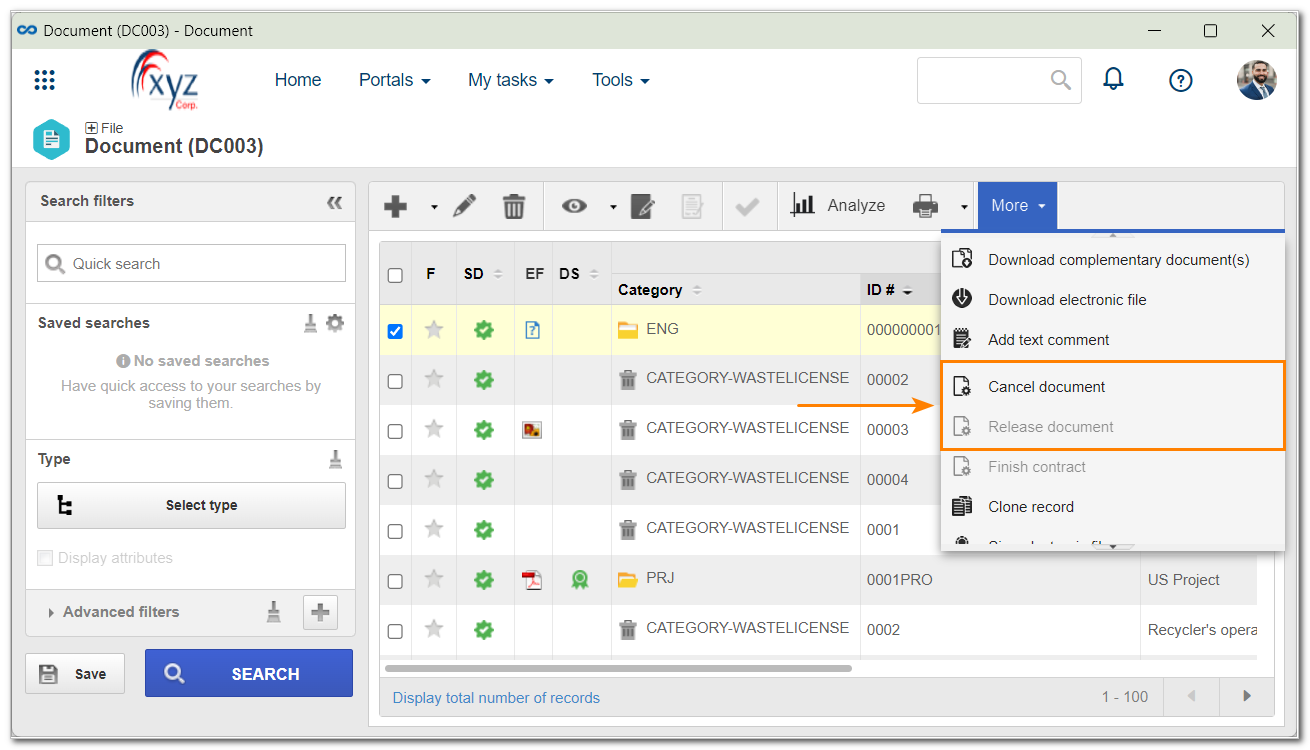
1. Access the File > Document (DC003) menu.
2. Select the desired document in the list of records.
3. Click on the More button.
4. Select Cancel document or Release document (or Finish contract if that is the case).
5. Then, on the page that will be opened, enter an explanation to cancel or release it.
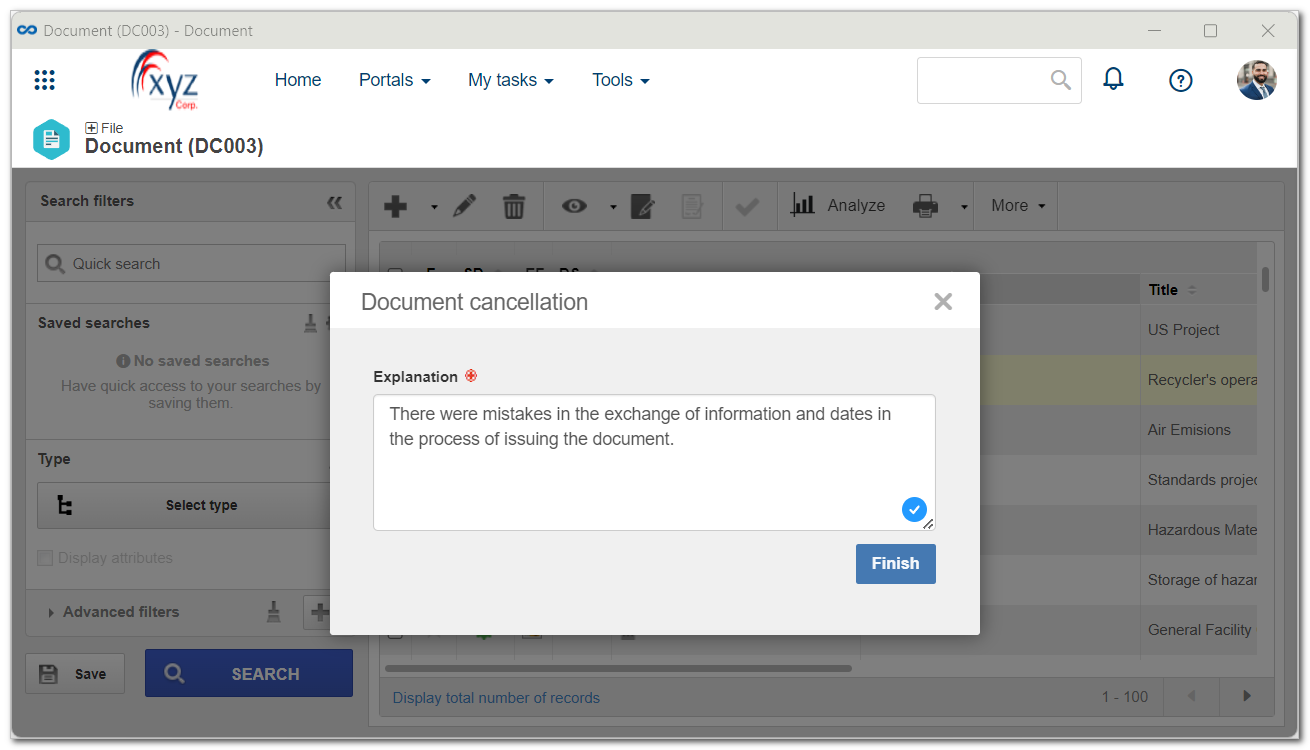
6. Click on the Finish button.
If there are copies of the document in use, it is necessary to cancel them.
Conclusion
Thus, the document status has successfully changed.