Creating a transmittal method
Prerequisite
- Access to the Configuration > Document transmittal form > Transmittal method (DC049) menu.
Introduction
The transmittal method consists of the possible ways in which the sender can send the transmittal object to the addressees. For example, CD, DVD, e-mail, paper, among others.
The transmittal method must be registered to later be associated with the transmittal form objects.
See below how to create transmittal methods:
Creating a transmittal method
1. Access the Configuration > Document transmittal form > Transmittal method (DC049) menu.
2. Click on the +Create toolbar button.
3. On the screen that will be opened, enter an ID # and a name.
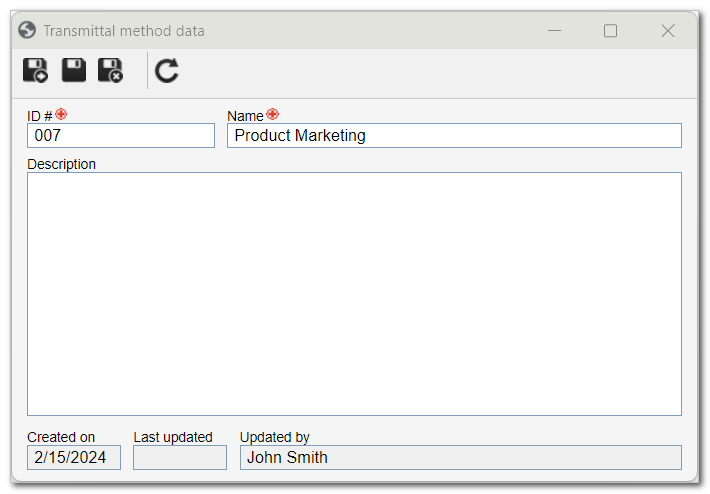
4. Enter a description if desired.
5. Click on  to save the changes.
Conclusion
The transmittal method has been created and can now be associated with the object of the transmittal form. See more information in the Associating documents with the transmittal form article.