View the current version and obsolete revisions of the FMEA
This article is valid until version 2.1.9 of the system. Click here to access the documentation referring to later versions.
To view the current and obsolete versions, follow the steps below:
1. To view an FMEA, access the FM014 menu.
2. In the Quick search field, search for the ID # of the previously created FMEA and click on the  button.
3. On the data screen, access the Revision > Revision history tab.
4. Select the revision you wish to view and click on the button.
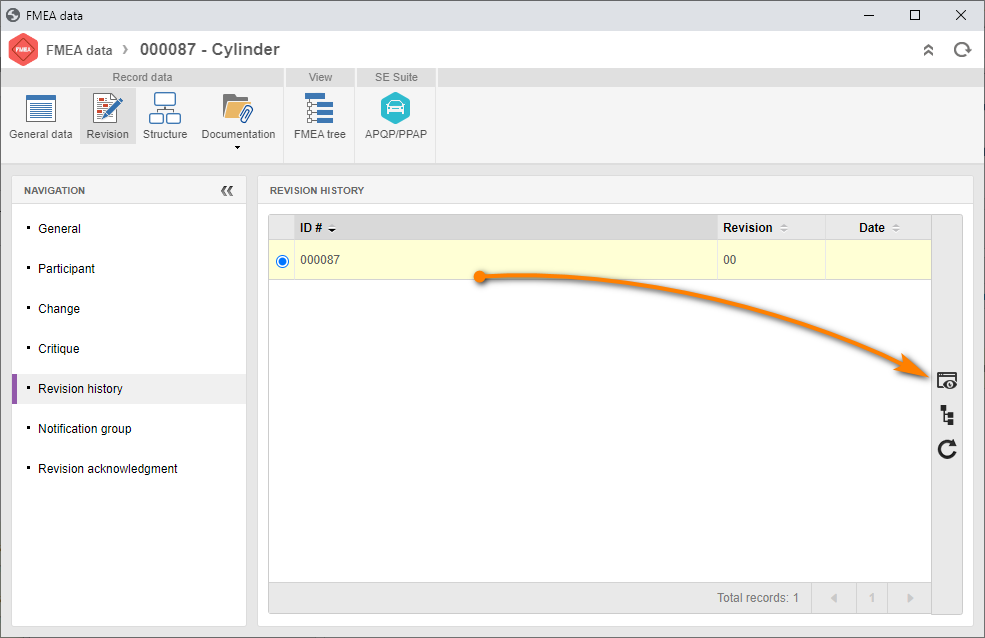
Done. We have successfully viewed the revisions!