Approve the MSA draft
This article is valid until version 2.1.9 of the system. Click here to access the documentation referring to later versions.
To approve the draft, simply follow the steps below:
1. Access the My tasks menu and click on MSA draft.
2. Select the linearity study record and click on the  button.
3. On the screen that will be opened, fill out the Comment field and click on the  button.
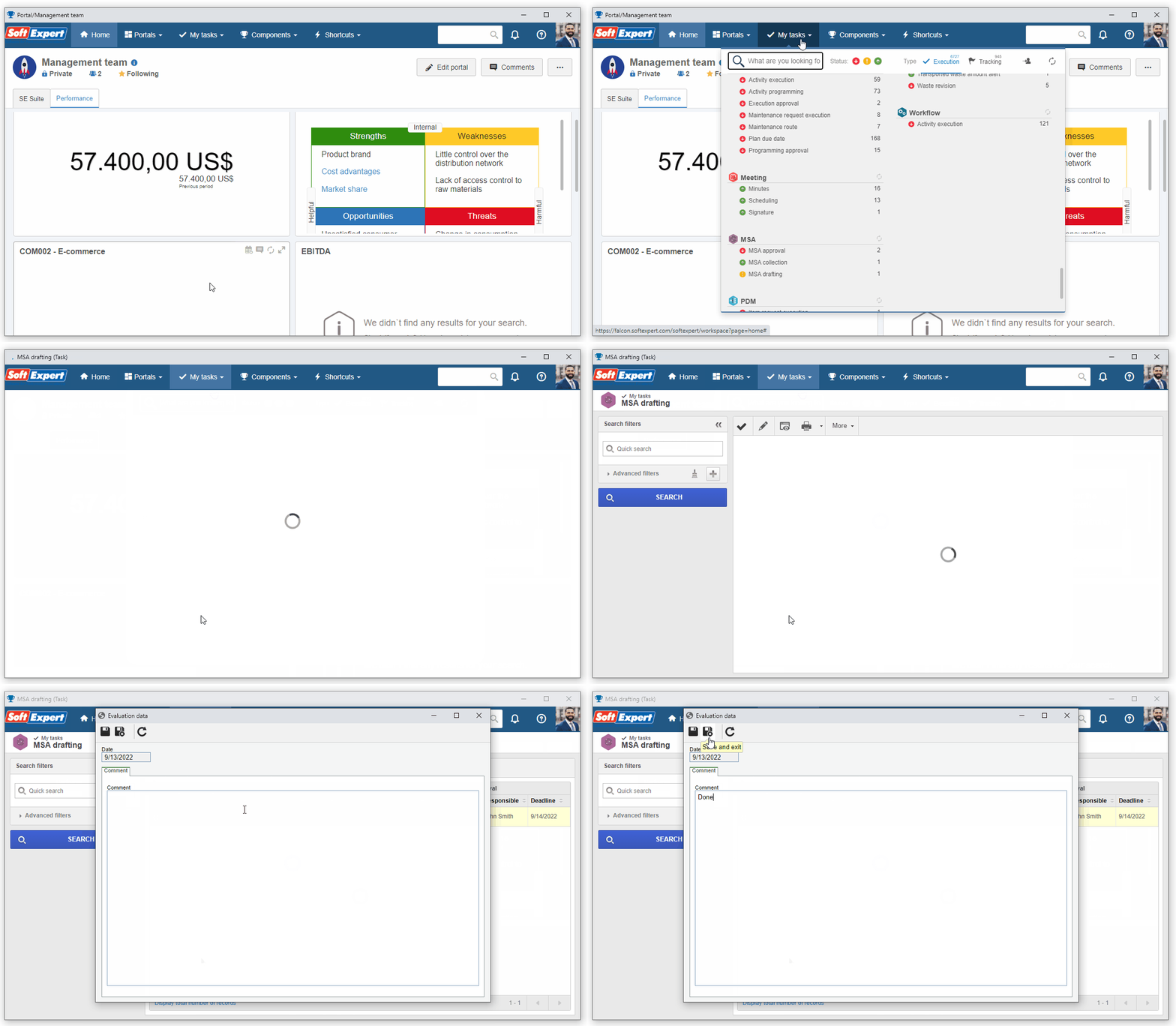
4. Click on OK to confirm the end of the evaluation.
The draft step was finished successfully.