Reactivate a supplier
This article is valid until version 2.1.9 of the system. Click here to access the documentation referring to later versions.
After disabling a supplier, it is still possible to revert the change and make them visible for new actions in the system again.
To reactivate a supplier, follow the steps below:
1. Access the SL001 menu.
2. Search for the supplier through the Inactive filter, as shown in the View a disabled supplier topic.
3. Select the supplier in the list of records.
4. Then, click on More >  .
.
5. Confirm the system message.
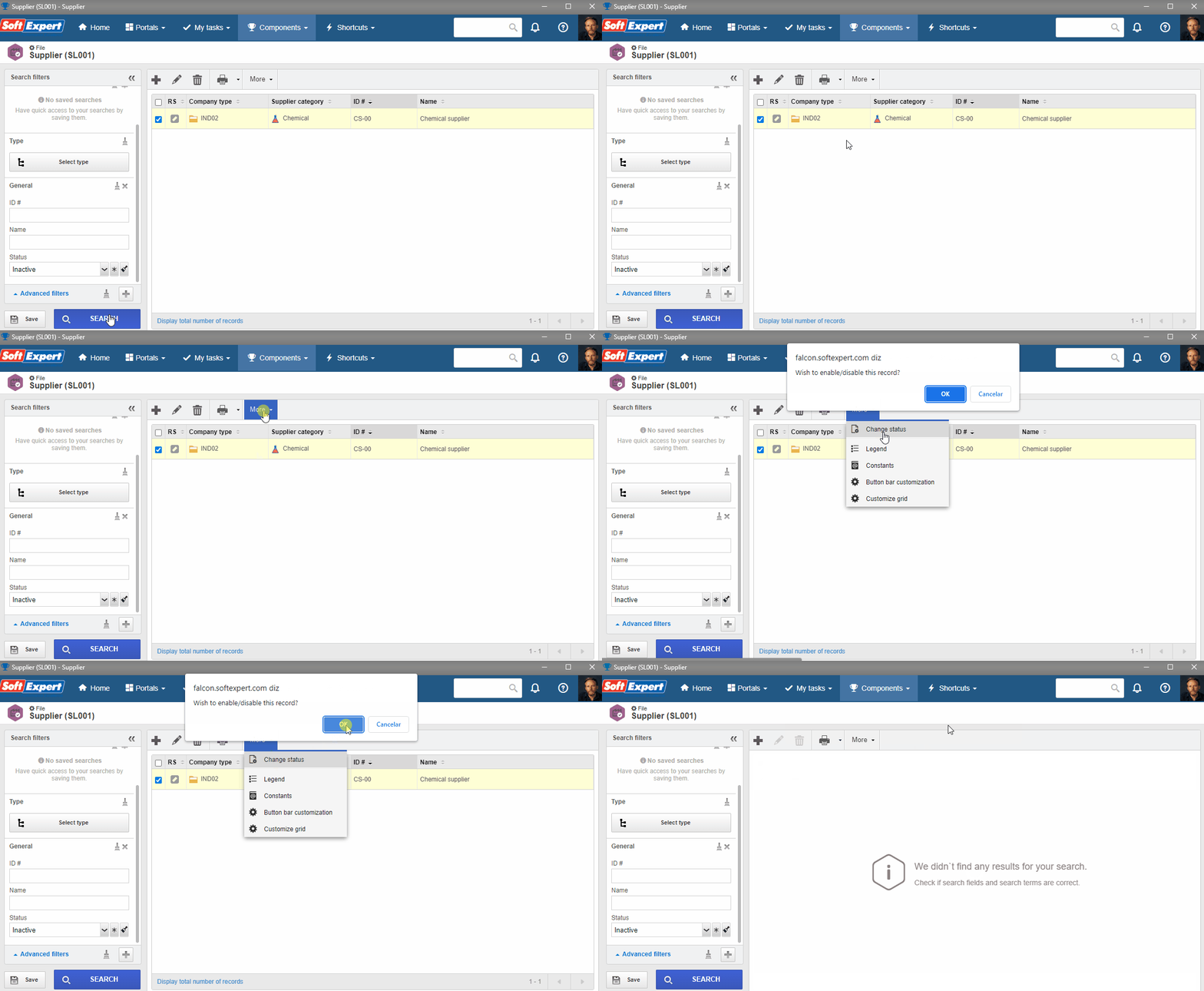
6. The supplier has been reactivated and will be displayed in the system again!